Boost Seasonal Capacity by 80% with 3D Digital Sampling
Fewer sampling rounds. More styles per season. See how manufacturers use 3D digital files to unlock capacity without adding floor space or headcount.
A 3D garment file that never gets into the product lifecycle management (PLM) system is a second source of truth. Every approval that lives outside the record forces the brand to re-enter, reconcile, and re-verify data before production. For 3D PLM integration, Technology Leaders connect style data first, fabric libraries second, and approved digital twins third. The PLM remains as the record while Browzwear's Open Platform syncs data through open application programming interfaces (APIs).
3D data starts in the design studio. The PLM belongs to the product organization. Style numbers, fabric records, and garment files all carry their own identifiers, owners, and approval states, so a connection that links all three at once fails when one of them does not match.
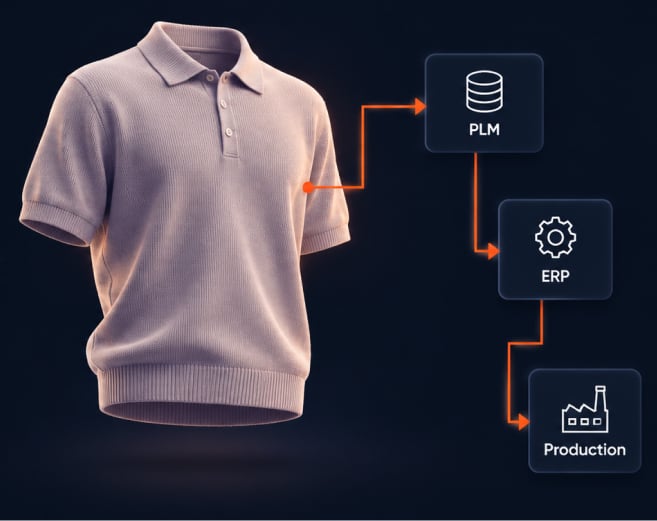
Ownership makes it worse. When no one owns the connection, design teams export files by hand, and the PLM falls behind the approved garment. Browzwear’s Open Platform page says it plainly: connect Browzwear to your PLM, enterprise resource planning (ERP), and production systems, and automate the flow from approved 3D garment to production.
This article outlines the order of that connection. For governance of 3D tools already in use, read managing shadow 3D. For vendor selection, read the eight enterprise criteria.
The rule: the PLM keeps the record, and 3D feeds it. Each link below has an input, an output, and an owner. Complete links one through three on a pilot set of styles before you scale.
Link style data.
Link fabric libraries.
Link approved digital twins.
Automate the repeat work.
The ownership split is in three sentences. IT owns the connection. Design owns the content. Product owns the record.
| Browzwear capability | Operational change | Business outcome |
|---|---|---|
| Open APIs and PLM integration | Style IDs and statuses move between the PLM and 3D without re-entry | Fewer manual handoffs between approval and production |
| Unified asset library with version control | Fabrics, avatars, and trims all share a versioned library tied to PLM IDs | Every style traces back to one fabric version, which shortens root-cause checks |
| Real-time sync of approved virtual twins | The PLM shows the current approved twin, not a stale export | Product, buying, and production teams review the same version |
| Batch processing and rule-based actions | Repeat tasks run on rules, not by hand | Less manual work per style and fewer data-entry errors |
A style follows five steps once the sequence is live.
Plan. The PLM creates the style record and the style ID. 3D reads both.
Build. Designers build the garment on library fabrics that carry PLM fabric IDs.
Approve. Reviewers approve a versioned digital twin. Stylezone keeps the history of design updates and collects comments in one place.
Sync. The approved version syncs to the PLM through Open Platform, with its version number and status.
Release. Production systems read the approved twin from the record, not from an email attachment.
Some integrations prioritize a fast first demo over durable sync. A one-time file export lands a garment in the PLM on day one and goes stale at the next revision. A point-to-point script connects quickly but depends on one engineer.
Enterprise-grade integration needs documented open APIs, version control, and a named owner. A shortcut holds for one team and one season. It fails when the second team, the second season, or the second supplier arrives.
The sequence limits the risk in three ways. Link one runs read-only, so the PLM does not change. Link three admits approved versions only, so drafts never reach the record. A pilot set of styles proves the connection before the full range depends on it. Browzwear does not publish a fixed implementation timeline on its Open Platform page, so scope the pilot and the dates with your Browzwear team.
Name two roles before the pilot starts: one integration owner in IT and one approver in design. IT owns the connection, design owns the content, and product owns the record. A decision that has two owners has none.
The Open Platform page reports customer results that are not specific to integration. Odlo's 3D project leader reports a 70% drop in initial investment after going fully digital. Paladin's co-founder and chief operating officer reports that using Browzwear before issuing samples cuts a three-to-four-month process to about two months. Build your own model from your sample rounds and your manual re-entry time, and test it on the pilot set.
Bring three items to the steering group: the field map from link one, the ownership split, and the pilot scope. Each item answers a question that stalls approval, which is what changes in the PLM, who is accountable, and how far the first phase goes.
3D PLM integration connects 3D garment data to the PLM so style records, fabric records, and approved digital twins stay linked. The PLM remains the system of record. The 3D platform feeds it approved, versioned data.
Connect style data first. A shared style ID is the base for every later link, and a read-only connection leaves the PLM unchanged. Connect fabric libraries second and approved digital twins third.
Browzwear Open Platform connects to PLM, ERP, and production systems through open APIs, with real-time sync and version control. Approved virtual twins sync to the system of record.
IT owns the connection, design owns the 3D content and approvals, and product owns the PLM record. Name one integration owner in IT and one approver in design before the pilot starts.
No. In this sequence, only approved versions enter the PLM and drafts stay in 3D. The PLM holds the link, version number and approval status for each twin.
Browzwear does not disclose a timeline on its Open Platform page. The scope depends on your PLM fields, your systems and the size of the pilot. Set the pilot set and schedule with your Browzwear team.
When building 3D PLM, we connect style data first, fabric libraries second, and approved digital twins third, and use the PLM as our system of record. A shared style ID is the basis for the link to the PLM and in a read-only first link the existing PLM remains the same. Fabric records with PLM fabric IDs and version numbers allow for every style to refer to one fabric version. Only the approved twin versions are drawn from the PLM. Drafts will stay in 3D. IT owns the connection, design owns the content, and product owns the record. Name the owners before the pilot. Browzwear's Open Platform connects to PLM, ERP, and production systems through open APIs with real-time sync and version control, so approved twins go to the record.
Browzwear works with more than 1,000 fashion and apparel companies worldwide. See how the connect-first sequence maps to your PLM, your fabric records, and your approval flow in a live walkthrough built around your workflow.
