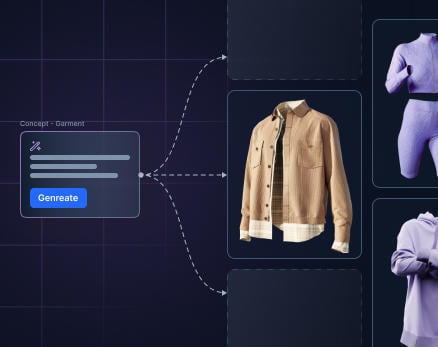
We're excited to introduce Whiteboard, a built-in, AI-powered ideation space integrated directly into Stylezone. Designed for designers, product developers, and merchandisers, Whiteboard brings moodboarding, concept exploration, team collaboration, and e-commerce image creation into the same platform where your garments live, eliminating the need to jump between tools and lose context along the way.
One Space for Every Stage of Ideation
Until now, fashion teams have relied on a patchwork of external tools such as Miro, Figma, email threads, and PowerPoint decks, just to get an idea off the ground before it ever reaches a 3D garment. That fragmentation costs time, creates misalignment, and slows down the path from trend to shelf.
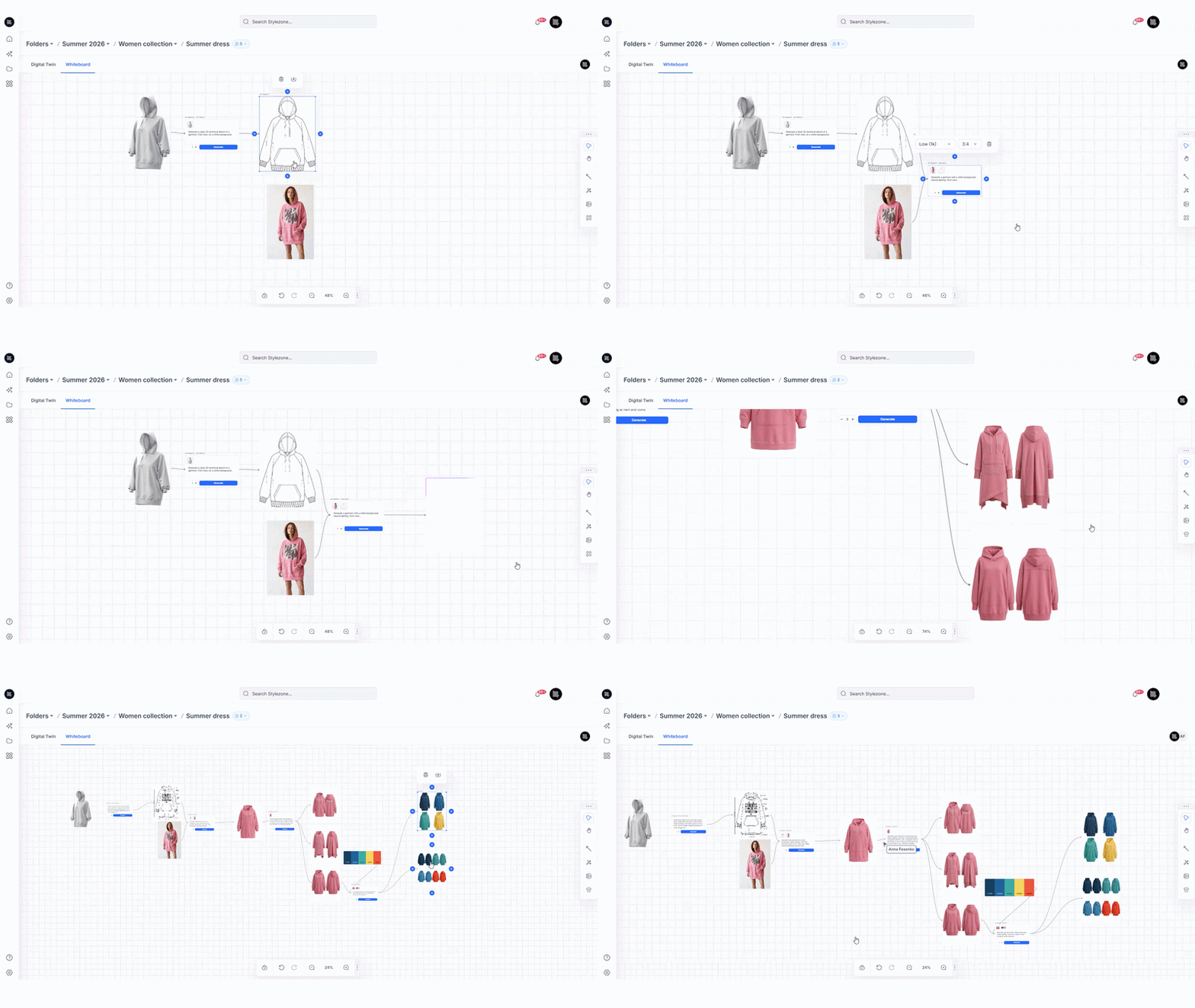
Whiteboard changes that. Moodboards, references, and AI-generated concepts now live directly inside Stylezone, right where the garment lives. Teams can move from inspiration to a structured style request without switching tools or losing the thread of an idea. Your concept and your creation are no longer in separate places; they evolve together, in one connected workspace.
Every Style in Stylezone has its own dedicated Whiteboard, automatically created and always accessible from within the Style context. It's always there when you need it, tied directly to the work it supports.
What You Can Do with a Whiteboard
- Sketch early design ideas without leaving Stylezone
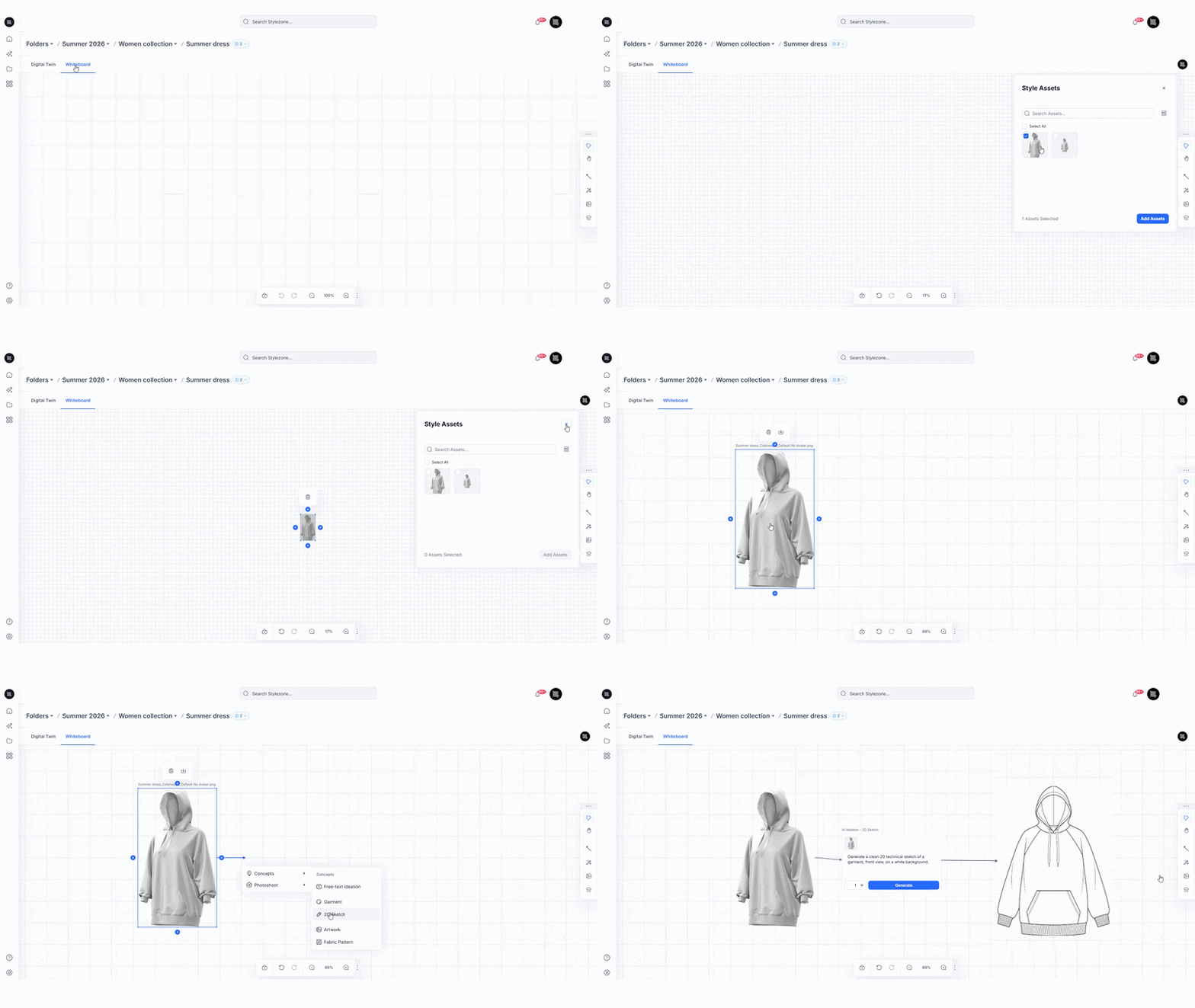
- Generate AI-powered concepts using Gemini to accelerate exploration and spark new directions with text or image prompts.
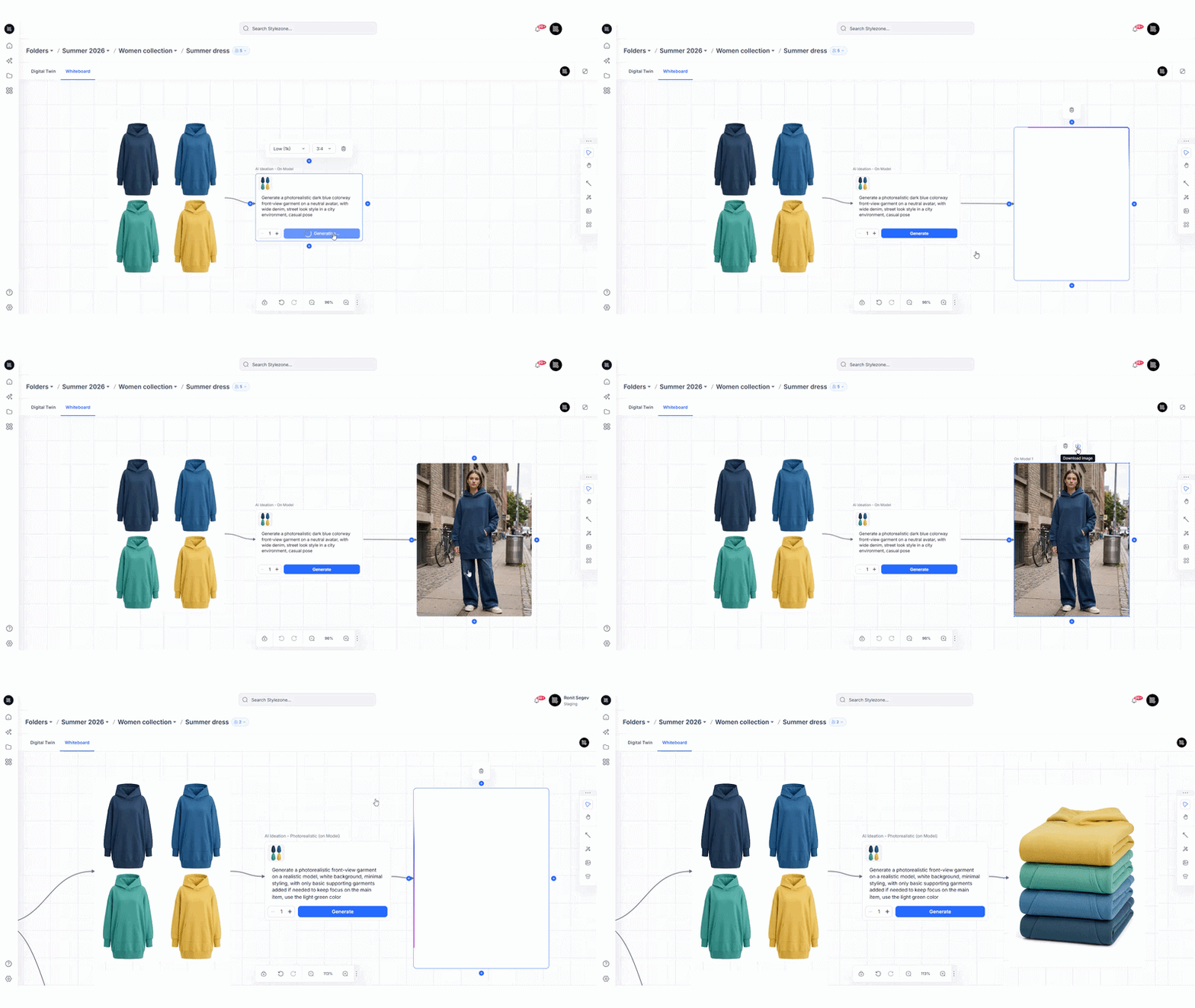
- Go from concept to commercial-ready — improve realism, enhance visuals for e-commerce, and update backgrounds and avatars in one place.
- Choose your output type - generate garment renders, photorealistic images(on model), 2D sketch, outfit, artwork, or fabric pattern visuals, each with smart pre-filled prompts you can override.
- Collaborate in real time with your team - designers, merchandisers, and product developers in one shared space, reviewing and collaborating on the whiteboard in real time.
- Trace every idea back to the garment with full visibility into how a concept evolved into a final style, reducing duplication, miscommunication, and rework.
- Strengthen team alignment by capturing the design journey in one place, so nothing gets lost between inspiration and execution.
- Reduce tool dependency by eliminating the need for external image generation or animation tools.
Designed to Move Faster
Speed is at the heart of Whiteboard. By removing the friction of switching between platforms, teams can follow trends faster and get to market earlier. The result: shorter concept-to-style timelines, fewer alignment gaps, and a measurable improvement in development efficiency.
Built for the Full Creative Team
Whiteboard expands who can get value from Stylezone. While the platform has always been home to 3D designers and product developers, Whiteboard opens the door for merchandisers, creative teams, stylists, photographers, and marketing, anyone involved in the ideation and direction-setting stages of a collection.
And because the AI in Stylezone is fine-tuned for apparel workflows and fashion outputs, the assistance you get in Whiteboard isn't generic; it's built to support the way fashion teams actually work.
How AI Generation Works
Generating concepts in Whiteboard is designed to be fast, flexible, and credit-smart:
- Prompt flexibility: Use text alone or combine up to 8 reference images with a text prompt to guide your generation.
- Output volume: Generate between 1 and 10 images per run, each appearing as a new object on the canvas.
- Resolution control: Choose Low, Medium, or High resolution per generation (company default applies, but designers can override). Higher resolution uses more credits.
- Credit efficiency: Credits are only charged for successful generations; failed runs don't cost a thing.
- Reusable prompts: Prompts stay editable and reusable, so you can iterate quickly without starting from scratch.
Who Can Use a Whiteboard?
Whiteboard is available across Enterprise and Teams plans. If you're on one of these plans, you'll have access to the full AI Ideation experience, including Gemini-powered generation, as long as Browzwear Render Credits are available.
Freelancers and others outside these plans can still access the Whiteboard canvas for sketching and collaboration; AI generation is simply not included.
The good news on permissions, there’s very little extra to set up. Whiteboard access is tied to the Style, so access stays in sync automatically when Style permissions change or the Style is duplicated. On top of that, the site admin can define Whiteboard access by role, for example, internal or external contributors, moderators, and reviewers, to control who can view or edit the Whiteboard.
A Step Toward an Idea to Twin in Minutes
Whiteboard is more than a feature; it's a foundational step in Browzwear's vision to compress the journey from initial idea to digital twin. By unifying the ideation and creation stages on a single platform, we're building the infrastructure for design teams to work at the speed of inspiration.
The future of fashion development is connected, collaborative, and fast. Whiteboard is where it begins.