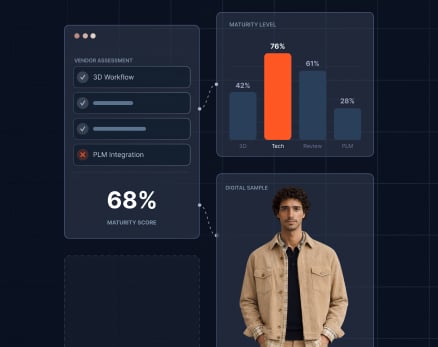
The buying season timelines are unforgiving. The difference between a vendor who can move at your pace and one who cannot often shows itself too late - mid-range confirmation, when changes cascade, and calendars compress. A structured vendor assessment, before commitments harden, turns that risk into actionable insight.
Retailers working with Browzwear are building a framework to assess vendor digital readiness - not to disqualify suppliers, but to assess where they are now, and what support they need to get digital faster. It is a framework that applies to your entire vendor base, from established partners to emerging suppliers.
The Four Dimensions of Vendor Digital Readiness
Digital readiness is not all-or-nothing. It is dimensional. A vendor might be production-ready on file formats but needs to be onboarded on 3D literacy. Another may have the tools but not the integration capacity. The framework below provides four clear lenses to assess each vendor's position and determine next steps.
Dimension 1: File Format and Specification Readiness
What it measures: Can your vendor accept, process, and work from digital files in the formats your design and product teams are now sending?
| Assessment Criteria |
| Vendor can receive and open 3D files (VStitcher, Browzwear, or equivalent) without delays due to format conversion. |
| Vendor has a technical pack template that aligns with your digital workflow output. |
| Vendor systems accept digital specifications - measurements, seam placement, material assignments - without manual transcription. |
| File versions and change management are integrated in the supplier's production workflow. |
What to look for - Ready state:
- Vendor confirms the file receipt and confirms the data integrity within a business day.
- No back-and-forth as to file format or specification interpretation issues.
- Vendor technical team can derive production parameters directly from digital files.
Red flags - Not Ready state:
- Vendor requests files in legacy formats (email, PDF, print-outs).
- Specifications need manual re-entry into their internal systems.
- File incompatibility requires external conversion services.
Dimension 2: 3D Literacy and Technical Capability
What it measures: Is the vendor's team aware of 3D workflows to catch problems and move production decisions forward without going back to physical samples?
| Assessment Criteria |
| Vendor has a dedicated 3D contact who knows virtual fitting, color simulation, and digital revision workflows. |
| The production team can read 3D fit validation reports and get a sense of what they mean for manufacturers. |
| The vendor can identify fit, construction, or material issues during digital reviews and suggest solutions without first requesting a physical sample. |
| Training on 3D processes and Browzwear output is a priority for vendor technical staff. |
What to look for - Ready state:
- Vendor attends digital workflow training or has self-developed 3D competency.
- Technical communication references specific 3D fit data and visual validation points.
- Vendor can move forward on production decisions based on digital review without automatic escalation to physical sampling.
Red flags - Not Ready state:
- Vendor does not have a designated point person for 3D workflows.
- Feedback on digital samples is vague ("looks good") or "needs a physical sample to confirm".
- Vendor views 3D as an option or a view-only thing and not actionable.
Dimension 3: Integration and Workflow Readiness
What it measures: Can your vendor's internal systems talk to yours? Can workflow steps go on without handoffs?
| Assessment Criteria |
| Vendor PLM, ERP, or production management system can be integrated with your submission and approval workflows. |
| Vendor can accept and process digital approvals without parallel physical sign-off. |
| Change requests from buying or design teams flow into the vendor's production queue without losing fidelity. |
| Vendor has a clear process for digital file archival and traceability across seasons. |
What to look for - Ready state:
- The IT team in the vendor evaluated integration requirements and found a way.
- Pilot integration with one or two SKUs is successful, file flow and change management are smooth.
- Digital submissions and approvals are kept in their system of records.
Red flags - Not Ready state:
- The vendor's systems are disconnected - digital files are available via email and spreadsheets.
- No clear ownership of file management or change log.
- Vendor requires parallel physical sample submission in addition to digital approval.
Dimension 4: Production Validation and Accuracy
What it measures: Does your vendor's production output match what you have designed and approved digitally? Is the 3D-to-production bridge reliable?
| Assessment Criteria |
| First production runs from digital designs meet fit, color, and construction specifications without material rework. |
| Vendor has a quality checkpoint that validates physical outputs against digital approvals before shipping. |
| Measurement data from physical samples is fed back into the digital file and used in future runs. |
| Vendor has a low variance on repeat styles using digital specifications as the only reference. |
What to look for - Ready state:
- Vendor's first-quality rate on digital styles meets or outperforms physical sample benchmarks.
- The quality team knows the 3D file as the source of truth and flags discrepancies against it.
- Rework is rare and tracked back to process breakdowns, where it is not 3D inaccuracy.
Red flags - Not Ready state:
- Significant rework on styles approved digitally (suggesting file-to-production gaps).
- Vendor sees digital approvals as advisory rather than specification.
- No feedback loop from production back into digital files.
How to Score and Position Each Vendor
For each of the four dimensions, mark the vendor as one of three:
| Status |
Meaning |
Next Step |
| Ready |
Meets criteria in all sub-points; can execute digital-native workflows now |
Full integration; include in the digital buying cycle immediately |
| In Progress |
Meets some criteria; has identified gaps and a credible plan to close them |
Structured 90-day enablement plan; parallel digital and physical workflow for the season |
| Not Ready |
Does not meet criteria; no clear plan or commitment to change |
Evaluate the scope of the gap; decide: invest in enablement, find an alternative vendor, or maintain physical sampling for this supplier |
Vendors with different maturity levels belong in different workflows.
Ready vendors are your acceleration layer. They handle high-volume SKUs early in the buying season, freeing up calendar time for downstream approvals and adjustments.
In Progress vendors are your transition layer. Provide them a narrower subset of styles with structured support - a dedicated 3D contact from your team, weekly check-ins, and clear enablement milestones. These partnerships often yield high loyalty because vendors see investment in their capability.
Not Ready vendors are not failures. They may have other strengths - cost, quality, innovation - that make them strategic. But they stay on physical sample timelines. Do not force digital workflows on vendors who cannot execute them. That creates delays, not acceleration.
Building Confidence in the Framework - and the Process
The objection we hear most: "If we assess now, we'll uncover gaps across most of our vendor base. That is not actionable."
It is. The gaps you find now - before the buying season has started - are entirely actionable. You have 3 to 6 months to focus on enablement and decide who moves into digital workflows this season. The vendors you do not assess? You realize their gaps mid-range confirmation when options are limited, and pressure is high.
A framework reveals readiness gaps that you can act on. Best practice is one assessment in one year, 8 to 10 weeks before the buying season. Tier vendors by maturity, build enablement plans, and allocate SKUs to meet the demand. Calendar pressure drops. Range confirmation accelerates.
Browzwear's vendor network and file standardization allow you to apply this framework consistently across your entire supplier base without building custom assessments for each vendor.
Vendor Assessment Checklist - Running the Process
Use this sequence to assess your vendor base:
- Identify Assessment Cohort. Choose three to five vendors representing different categories - tops, bottoms, specialty (prints, trims, etc.), and vendor sizes. Start there. Do not try to assess 50 vendors in one cycle.
- Send Pre-Assessment Briefing. Give vendors a heads-up. Explain that you are assessing digital readiness to determine who participates in your digital workflow this season. Make it clear this is not a performance review - it is a capability assessment to help you collaborate better.
- Run the Four-Dimension Assessment. Ask each vendor specific questions under each dimension. Listen not just to what they say - listen to who is in the room answering. If the vendor cannot get their technical or production lead on the call, that is data.
- Score and Prioritize. Mark each vendor as Ready, In Progress, or Not Ready according to each of these dimensions. Then decide: Which vendors do you want to accelerate with? Which needs structured support? Which stay on existing workflows?
- Build an Enablement Plan - For In Progress Vendors. Do not leave In Progress vendors hanging. Assign a timeline (8-12 weeks), establish a support plan (training, pilot workflow, weekly check-ins), and define success criteria. Many of these vendors will surprise you with how fast they can move when given clear direction and support.
Questions You'll Encounter
- Can a vendor be "Not Ready" on one dimension but "Ready" on others?
- Yes. Score each dimension independently. A vendor might excel at file formats but need support with 3D literacy. That determines their role this season, not whether they participate.
- What if a key vendor scores "Not Ready" on multiple dimensions?
- Decide: invest in enablement if strategic, maintain parallel physical workflows, or evaluate alternatives. The point is deciding now, not mid-season.
- Do all vendors need to be Ready?
- No. Aim for 60% or more of the volume to be at Ready or In Progress, with a clear enablement plan. The rest operate on existing workflows while momentum builds.
Key Takeaways
- Vendor digital readiness is dimensional. Assess across file formats, 3D literacy, integration capability, and production accuracy rather than making binary judgments.
- Not Ready does not mean incompetent - it means deciding where that vendor fits in your workflow this season.
- Assess eight to ten weeks before the buying season, when you have time to build enablement plans without calendar pressure.
- Apply a consistent framework across your entire vendor base using Browzwear's file standards to reduce assessment burden.
- In Progress vendors often become loyal partners when you invest in structured 90-day enablement plans with clear milestones.
- Ready vendors should handle your highest-volume and highest-complexity SKUs first, freeing calendar time downstream.
- Pair this assessment with clear communication so vendors understand why you are asking and what the output means for the partnership.
Ready to Build a Digital-First Vendor Strategy?
Leading retailers are discovering that vendor digital readiness is not a blocker - it is a segmentation tool. Knowing which vendors can move at digital speed and which need support transforms how you allocate work, manage timeline risk, and build for next season.
See how Browzwear enables retailers to manage vendor workflows at scale - with consistent file standards, integrated approvals, and production validation across your entire supplier base. The framework is simple. The results compound.