Blog
A Pattern Maker's Guide to the First 3D Fitting
A pattern maker guide to reviewing a digital sample: the six-step 3D fitting session, from avatar and fabric checks to reading fit maps and...
And your design team’s final product is not always the one that gets to the factory. How do you close that gap?
Every development calendar has a hidden leak. It is not in the design phase. It is not in production. It is at the handoff between the two that a creative decision made in one tool must be manually transcribed into a spec sheet and sent downstream. That transcription is where accuracy deteriorates, details are lost, and factories start building to what they were given rather than to what they had built.
Browzwear generates production-ready tech packs directly from the 3D garment model, pulling measurements, materials, and construction specs from the same digital twin used for fit and approval, so the spec that reaches the factory reflects exactly what was designed. This article explains how that process works and what it means for a brand managing multiple seasonal collections.
The traditional tech pack workflow is a documentation problem masquerading as a communication problem.
Designers finish a garment in one environment. Technical teams construct the spec sheet elsewhere, manually pulling measurements, writing material callouts, and attaching artwork files from multiple sources. By the time the pack is assembled, it is just what someone remembered to include, not a live read of the actual design.
The result is predictable: factories produce to the spec they were given. And the first physical sample that comes along with that spec is incomplete or inconsistent with the 3D file. That’s a revision round, a delayed calendar, and a development cycle that just got longer at the wrong time.
When brands have four or more seasonal collections along with capsule drops, this is not an occasional problem. It is structurally baked into a workflow that treats design and documentation as sequential tasks rather than a single connected process.
The shift Browzwear provides is architectural, not cosmetic. Rather than treating the tech pack as a document created after the design is completed, Browzwear generates it directly from the design.
How the end-to-end workflow runs.
Design and technical teams work in VStitcher or Lotta, Browzwear’s core development spaces. As the garment is constructed, every decision is structured data: fabric choices based on certified mill libraries, construction details from the model, trim and hardware specifications on the relevant parts (and fit to a physics-based avatar). There’s nothing written completely down except for the model.
Before a single spec sheet is generated, the garment is tested. Browzwear’s physics-based simulation method examines how the fabric behaves in real-life drape, stretch, and tension at seams. Fit is validated against avatar bodies that reflect the brand’s target consumer. Colorways are explored and locked without physical strike-offs.
The decisions made here about material, construction, and silhouette are lasting. The 3D model is production-validated, not a design render.
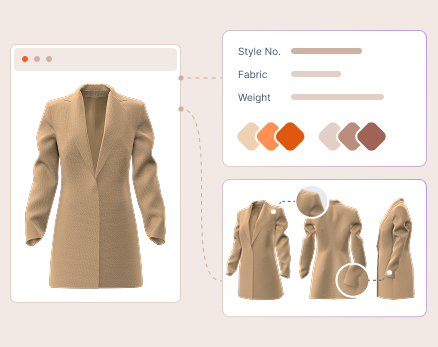
When the garment is approved for development, the tech pack is generated from the workspace in a single action. Browzwear pulls every component the factory needs directly from the 3D model:
The output option is either a structured Excel file (which can also be shared) or an HTML file with supporting folders. Both are factory-ready for export.
The Tech Pack Editor, which comes bundled with VStitcher and Lotta and is available as a standalone software, allows technical teams to refine the pack before it goes out, ensuring it meets any factory’s requirements. And for the first time in a factory, the standalone editor is not a dongle license, so vendors and collaborators can open, review, and edit packs without needing a full Browzwear license. The factory gets a complete, model-derived spec with every measurement and material callout in 3D, with no translation layer between design and production instructions.
| Browzwear Capability | Operational Change | Business Outcome |
|---|---|---|
| Tech pack generation from 3D model | Spec data is automatically extracted, instead of being manually transcribed | Eliminates the documentation gap where spec errors enter the development chain |
| BOM with colorway consolidation | All material variants captured and labeled in a single structured output | Reduces back-and-forth with factories over colorway inconsistencies |
| DXF pattern export with seam allowances | Pattern files move with the spec, no CAD transfer needed | Removes the handoff step and reduces pattern interpretation errors at the cut stage |
| Excel format with pre-share customization | Technical teams customize a pack to factory requirements before sending | Ensures factory compliance without creating a separate spec workflow |
| Standalone Tech Pack Editor | Low-level collaborators can review and edit their own work without a full Browzwear license | Accelerates pack review cycles across internal teams and external partners |
| Physics-based simulation before export | Fit and construction decisions are validated in 3D before the spec is generated | Reduces first-sample revision rounds by resolving issues upstream |
When tech pack generation is connected to the 3D model, three things change in how a brand’s development team works.
Documentation moves upstream. Instead of writing the spec after design is complete, the spec assembles itself as the design progresses. By the time a garment gets approved for development, the tech pack is effectively already built.
Revisions shrink. So when factories get production-verified specs of a physics-based model, the first physical sample is not a discovery exercise. It is a confirmation of targeted improvements rather than structural ones.
The development calendar is handed off. The two-to-three-week window that usually separates design sign-off from factory-ready spec delivery collapses when the pack is generated in a single action from the approved model. That time gets recycled into creative exploration, approval cycles, or just earlier market delivery.
Not all 3D tools handle the design-to-documentation connection in the same way. Some platforms produce design renders that require a separate spec-writing step, meaning the documentation problem persists even as the design environment improves. The distinction for enterprise brands is not whether a tool can produce a tech pack. It’s whether the tech pack is based on the same data used to validate the garment. And when the model is the spec, the accuracy is structural: there is no transfer step, so there is no drift opportunity.
The most common hesitation among brand CPOs is clear: the factory is offshore, the technical team has specific formatting requirements, and an auto-generated spec sounds like one that will not survive contact with production reality.
Browzwear’s output architecture is framed around that concern. The Excel export is designed for pre-share customization; technical teams will modify the structure, rename sections, and edit content before a pack reaches any factory. And the output is a starting point that reflects complete and accurate model data, not a locked format that forces factories to change their intake process. The standalone Tech Pack Editor extends this to vendors and production partners who can review and annotate packs without Browzwear licenses, in the formats they already use.
The bigger question, whether offshore teams will build to a digital spec as reliably as they would to a physical sample, is answered by what the spec contains. A tech pack from a physics-validated model has the same construction information that would be confirmed by a sampling round. The difference is when that confirmation happens: before the spec ships, not after the sample returns.
The brands that are compressing their development calendars are not doing it by working faster. They are doing it by eliminating the steps where accuracy degrades. Browzwear connects 3D design to production-ready documentation in a live walkthrough built around your collection workflow.
